The Photo Gallery feature allows you to create an interactive slideshow of images in just a few clicks.
1.
Click the orange ‘add’ button to add a new photo gallery.
2.
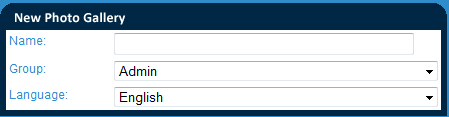
Name your gallery in the “Name” field. This will not be seen by users but should be named appropriately to make it easy to find on the back end.
3.
Select the group of users which you would like to have access to this photo gallery. This grants the selected group of user the ability to modify the gallery and place it on pages which they have access to.
4.
Select the Language for the gallery. NOTE : The language selection simply acts to limit which banner galleries are able to be added to a specific page. You will only be able to add English Galleries to English pages.