QuickPoll

Quick Poll

Add Response Options to a Quick Poll


Quick poll allows you to collect and store information from your users based on their responses to questions generated by you.


1.Click the edit button to open the edit poll page
2.Fill out the first Quick Poll option under ‘Option Details’ then click ‘Save’

poll_option

3.Go back to the ‘Option Details’ window and add the next option. Click ‘save’.
4.Repeat .
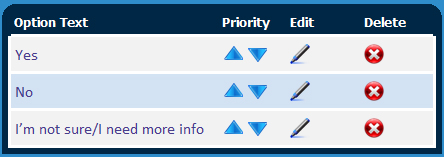
5.Use the ‘Priority’ arrows in the window below ‘option Details’ to order the options.

poll_text

6.When you are done, click ‘save’ underneath the ‘Quick Poll Editor’ window.